Huawei Inverter Stuck on Detecting ISO – Insulation Resistance Fault (ISO Error)
Quick Summary:
“Detecting ISO” is usually caused by insulation leakage in PV strings, most often due to moisture, damaged cables, or faulty connectors.
What does “Detecting ISO” mean?
When a Huawei solar inverter shows “Detecting ISO”, it is performing an insulation resistance test on the PV array.
The inverter checks whether there is any leakage current between:
- PV+ / PV-
- and ground (earth)
If insulation resistance is too low or unstable, the inverter will not start and will remain in this state.
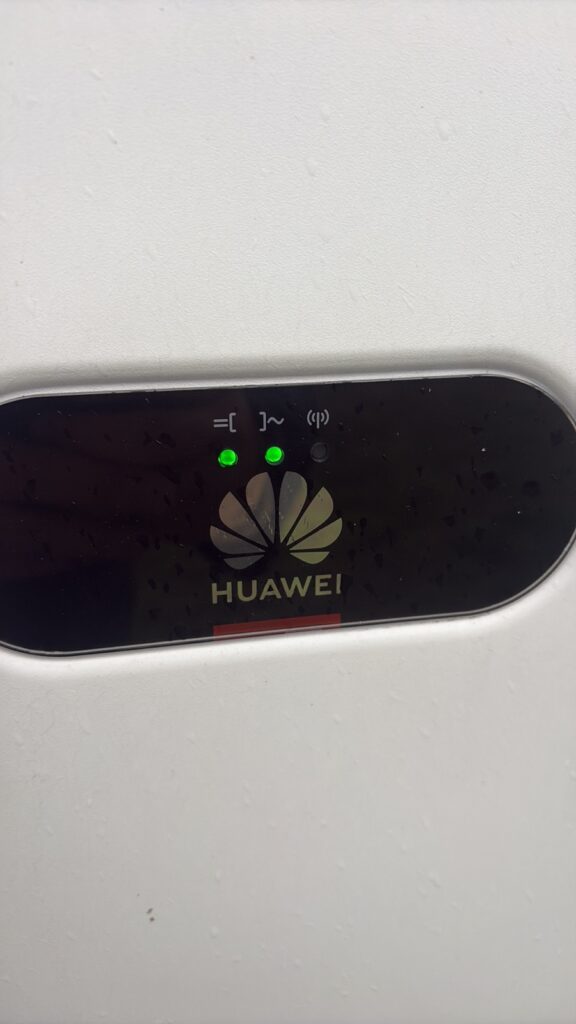
Thus the two LEDs for DC (direct current) and AC (alternating current) light up when the inverter is operating normally
Common symptoms
- Inverter stuck on “Detecting ISO”
- No power generation
- No grid injection
- Restart does not solve the issue
- Problem appears in the morning or after rain
Possible causes
1. Moisture in PV system
- Wet MC4 connectors
- Water inside junction boxes
- High humidity after rain or fog
2. Damaged DC cables
- Insulation damage
- UV degradation
- Mechanical cuts or pressure
3. Faulty PV string (most common)
- One defective string blocks the entire inverter
- Ground leakage in one string
4. SPD / surge protection issue
- Faulty DC surge protector
- Leakage to ground
5. Environmental conditions
- Condensation in the morning
- Temperature changes
- High humidity
Diagnosis steps
Step 1 – Disconnect all PV strings
Turn off DC input and isolate all strings.
Step 2 – Test strings one by one
Reconnect each string individually and observe when the fault appears.
Step 3 – Insulation resistance test (if available)
Measure:
- PV+ → Ground
- PV- → Ground
Low resistance indicates leakage fault.
Solution
- Disconnect all strings
- Reconnect one by one
- Identify faulty string
- Inspect MC4 connectors and junction boxes
- Replace damaged cables or connectors
Real-world experience
In real-world installations, it is sometimes observed that the inverter fault remains stored in memory even after the original issue has already been resolved. In such cases, the inverter may still remain in a fault state and not restart normally.
A local access login to the inverter via Huawei commissioning tools (e.g. SUN2000 or FusionSolar) may be required in order to manually clear the alarm, followed by a controlled restart. In some cases, this procedure restores normal operation. However, this situation is relatively rare.
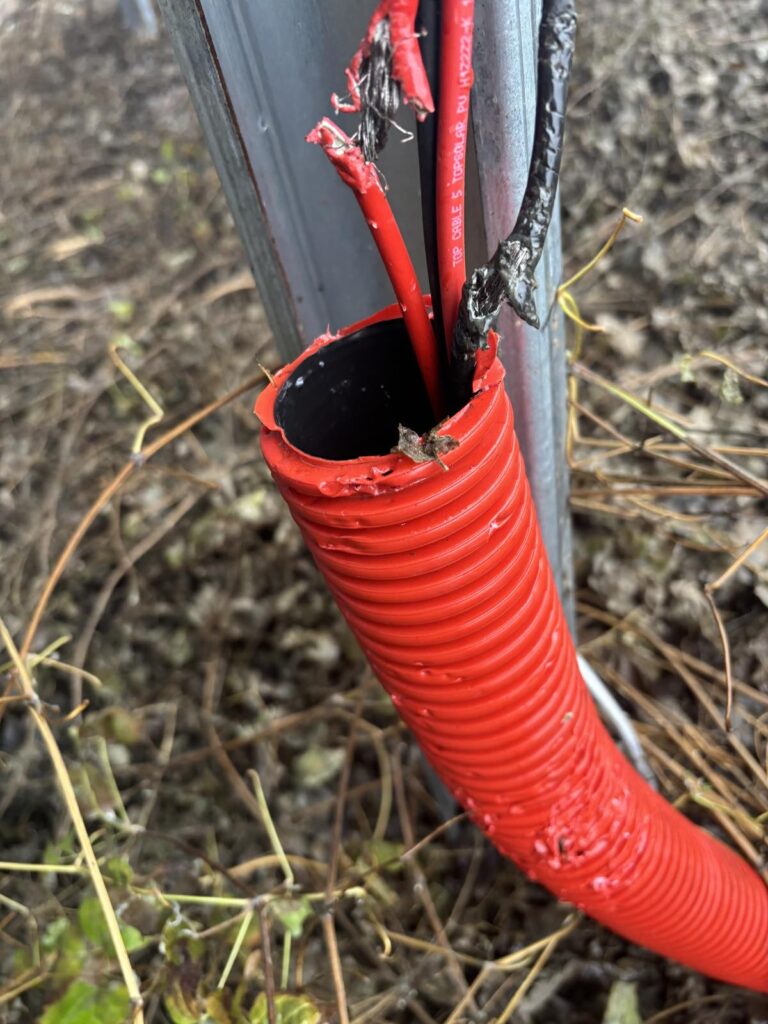
Most Common Root Cause: DC Cable Insulation Failure
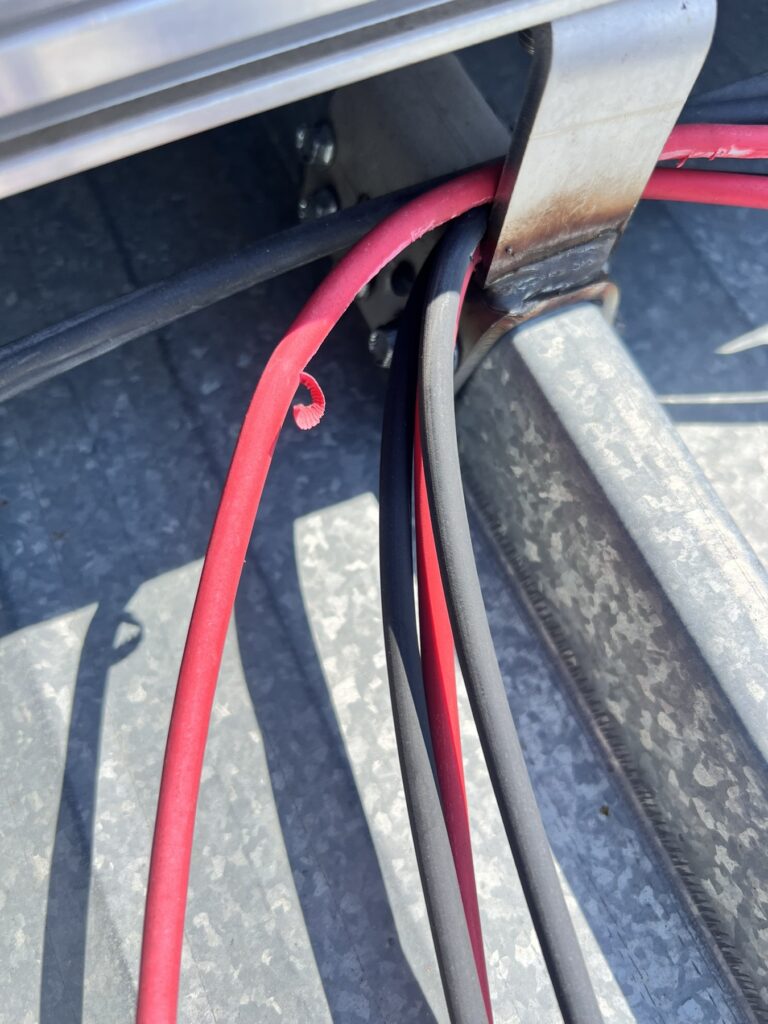
In the majority of cases, the issue is caused by a damaged DC cable on the PV side. The cable insulation may be compromised and come into contact with:
- the roof surface
- the mounting structure
- or grounded metallic parts
If the system is configured with bonded mounting structures and grounding, the inverter is able to detect this as a leakage path, which triggers the insulation fault protection.
This is the most frequent real-world cause of “Detecting ISO” or insulation-related faults.
Recommended Diagnostic Procedure
The correct method of diagnosis is to disconnect all PV strings and perform an insulation resistance test using proper measuring equipment.
Each string should be tested individually to determine which one has low insulation resistance or leakage to ground.
Alternative (Not Recommended) Field Method
If an insulation tester is not available, a simplified but not recommended method is sometimes used in practice:
- disconnect all PV strings
- clear the fault
- reconnect strings one by one
However, this method requires strict safety precautions:
👉 The inverter must always be fully shut down before connecting or disconnecting any DC cables.
👉 Working on live DC circuits is dangerous and strictly not recommended.
Additional Possible Causes
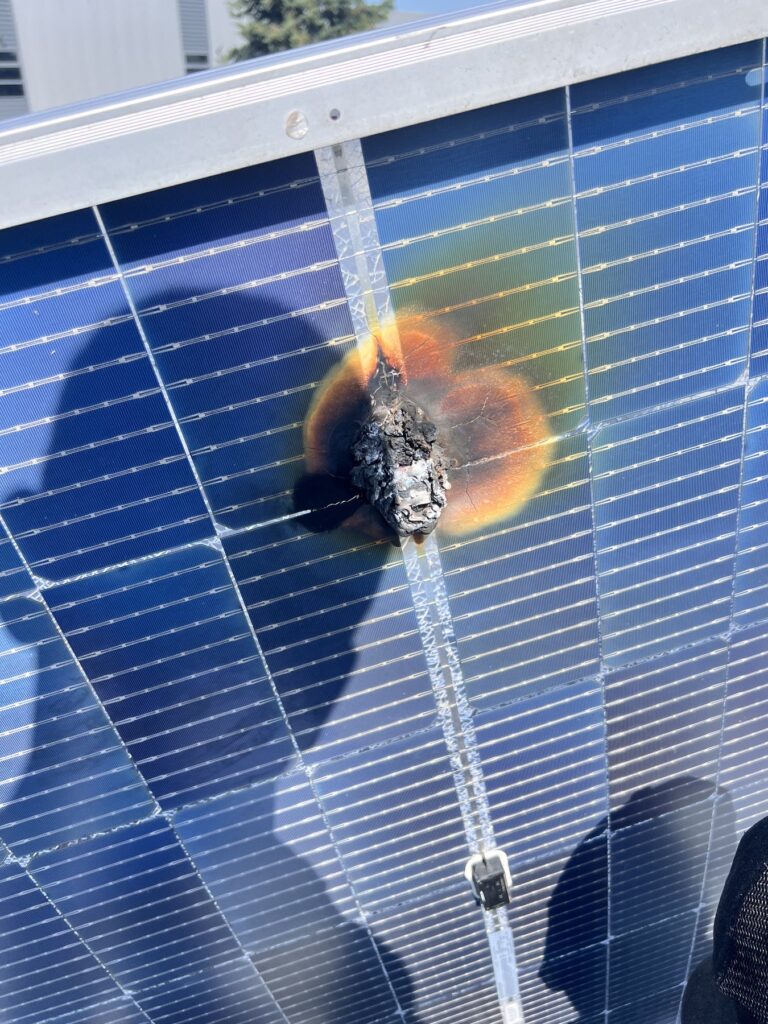
1. Damaged PV module
In some cases, the fault is caused by a physically damaged solar panel. Visible defects on the surface of the module are often an indicator.
2. Water ingress in connectors
Moisture or water inside MC4 connectors or junction boxes can create leakage paths that trigger insulation faults.
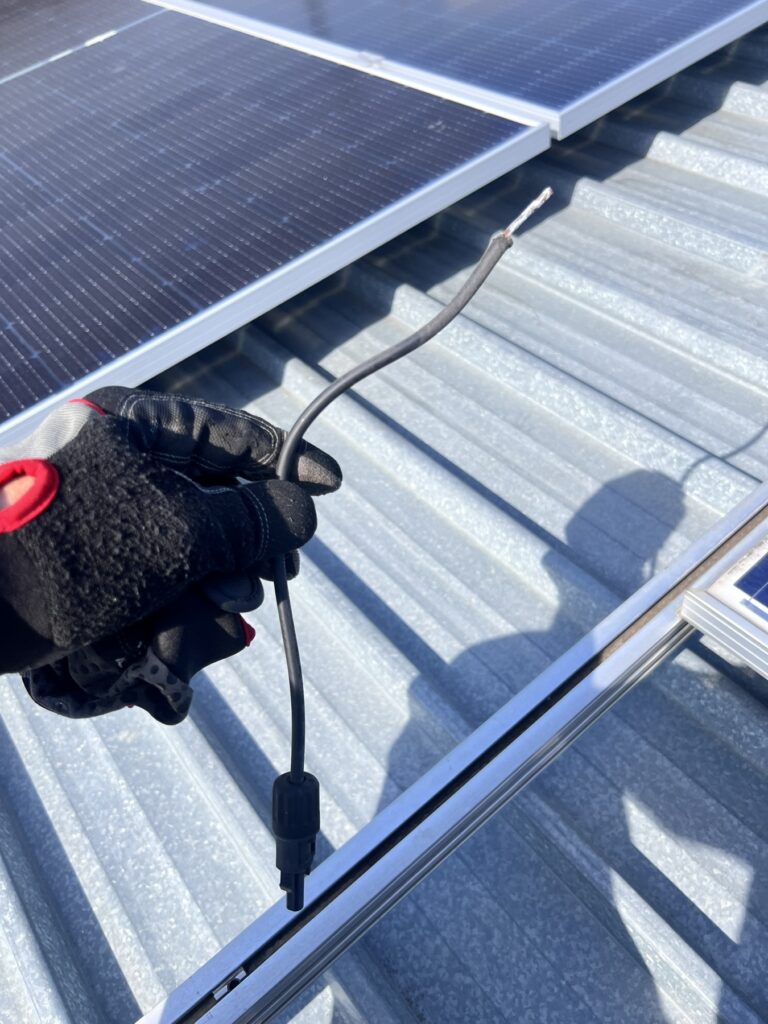
3. Disconnected or loose string in contact with structure
A disconnected string cable that is left loose may touch the mounting structure, causing unintended grounding or leakage.
Safety Consideration
This type of fault can be difficult to locate and may also present a safety risk.
In some cases, the mounting structure can become energized due to leakage, especially when grounding and bonding are improperly implemented or compromised.
Summary
Insulation-related faults are often not caused by inverter failure, but by external issues in the PV array such as:
- damaged DC cables
- faulty PV modules
- water ingress
- or unintended grounding contact
Proper insulation testing and systematic string isolation remain the most reliable diagnostic approach.
Important note
“Detecting ISO” is not a software bug or inverter failure.
It is a safety protection mode designed to prevent leakage currents and electrical hazards.
This issue is especially common in residential PV systems after rain, condensation, or high humidity conditions.